
An on-premises chat server allows companies to manage internal communication on their own infrastructure instead of relying on a third-party cloud service. Teams can exchange messages, share files, discuss projects and tasks, and work together while the company manages data storage and user access.
For businesses, this approach offers more control over communication settings, permissions, and server administration. It can also be useful for organizations that need to communicate within a local network or connect remote employees through the Internet.
We have been developing MyChat since 2004 and know how teams cooperate, what tools they use the most, and how they deal with privacy measures.
How an On-Premise chat server works
With MyChat, companies can install and manage their own communication server on Windows or Linux (via Docker). Employees connect to the server using a desktop, mobile, or web application.
The server can operate within a local network (LAN), allowing employees to communicate without relying on an external messaging service. Remote access over the Internet is also supported.
Unlike a cloud-based messenger, where the service provider manages the infrastructure, MyChat gives companies direct control over server configuration, data storage, and user access policies.
Managing Users and Access Rights
One of the main advantages of an on-premises chat server is centralized user management. Instead of leaving communication settings to individual employees, administrators can manage accounts, permissions, and available features from the server.
In MyChat, administrators can organize users into groups and configure access rights according to their responsibilities.
For example, different departments may have access to their own conferences, while certain features can be restricted to specific groups.

MyChat also supports Active Directory and LDAP integration, which can simplify account management and employee authentication in companies that already use these services.
This approach is particularly useful when employees join the company, change departments, or leave. Administrators can manage access centrally rather than relying on users to adjust their settings individually.
Task Management and Integrations
An on-premise messenger can support more than everyday conversations. Teams often need a way to organize tasks, track progress, and keep project discussions connected to their work.
MyChat includes a built-in Kanban board where employees can create tasks, assign responsible users, set deadlines, and track progress. This allows teams to manage projects alongside their daily communication without switching to a separate task management application.
MyChat offers additional tools for everyday business communication:
- voice conferences
- remote access
- internal forum
- bulk messaging.
Moreover, MyChat is integrated with helpful services that extend its abilities:
- Active Directory and LDAP (simple user management with automated employee authorization and authentication);
- Telegram (sending messages and images);
- GeoIP for tracking;
- Asterisk for internal telephony.
For advanced users, it is possible to extend MyChat’s default features by writing their own scripts on the server.
Available on all platforms
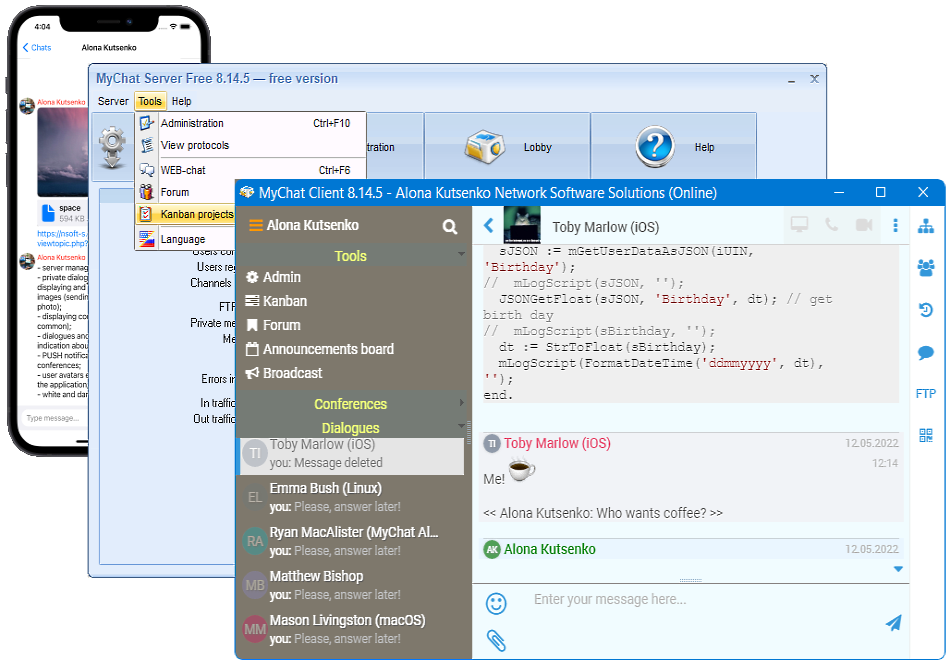
MyChat Client is available on Windows, Linux, macOS, iOS, and Android. It is also possible to work with chat in a browser (WEB application).
MyChat Server is available for Windows and Linux (via Docker).
On-Premise vs Cloud-Based communication
Cloud-based messaging services are often easier to deploy because the provider manages the server infrastructure, maintenance, and updates. However, companies depend on the provider’s service availability, policies, and data storage arrangements.
With an on-premise chat server, the company manages its own infrastructure and has greater control over server configuration, data storage, and user access. This approach can suit organizations that need internal network communication or specific administrative controls, but it also requires IT resources for maintenance, updates, backups, and security.
MyChat is designed for businesses that want to combine internal messaging and collaboration tools with control over their own communication infrastructure. Whether this model is the right choice depends on the company’s technical resources, security requirements, and operational needs.